Order-ahead pickup · Sofia
Lunch is ready.You’re still at your desk.
Order on your phone, pay ahead, and walk in to collect without the queue.
- Card, Apple Pay or Google Pay
- No sign-up
- Charged only when the kitchen accepts
What you pay
Three things that don’t change.
You pay the menu price.
byrzo charges you nothing on top.
The money is held, not charged.
Your card is only charged once the place accepts the order.
Not accepted within 10 minutes — you pay nothing.
The order cancels itself and the hold is released. For an order booked for later, the ten minutes come just before the kitchen has to start it, and the amount is held until then.
How it works
Three steps. No queue.
Pick
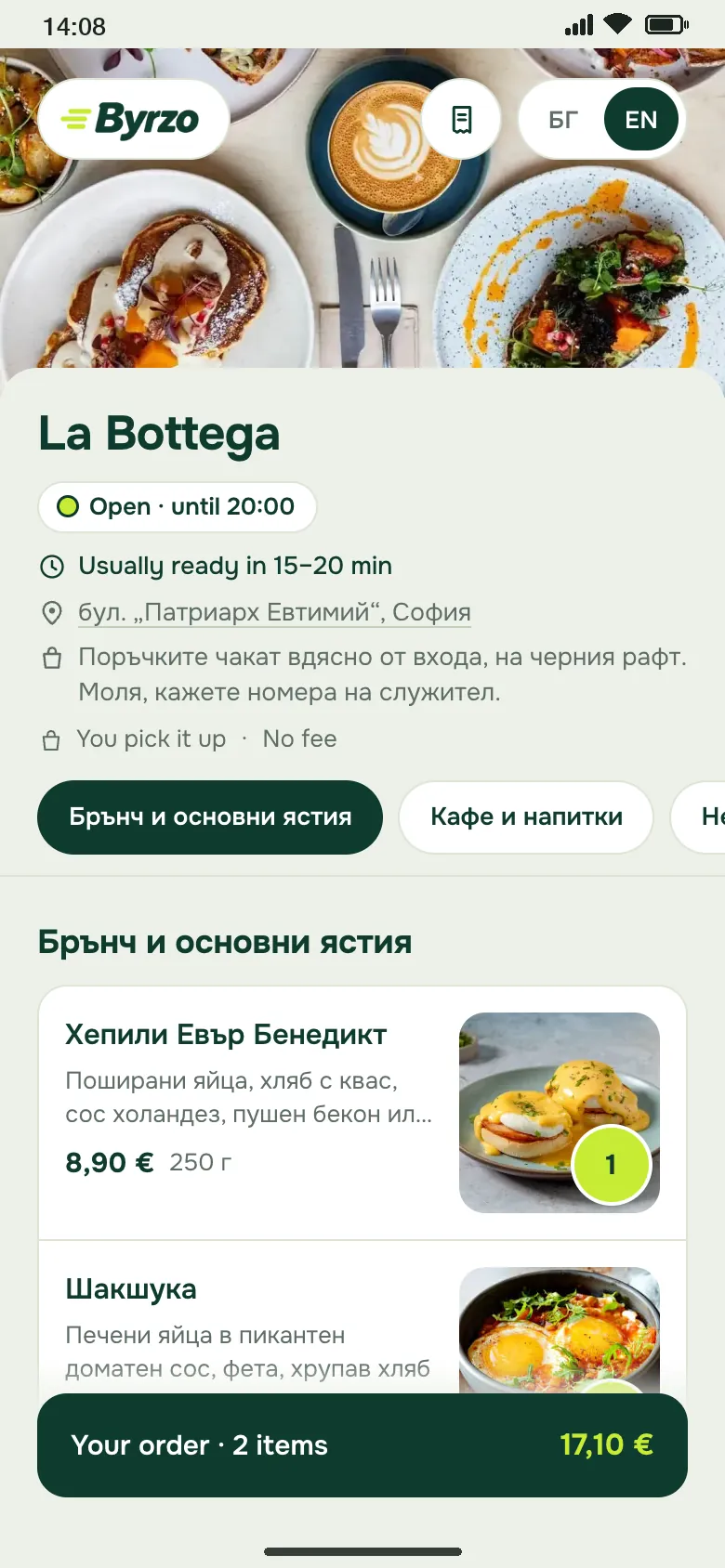
The menu opens from a link or a QR code — with photos, prices and portion sizes. No app, no sign-up.
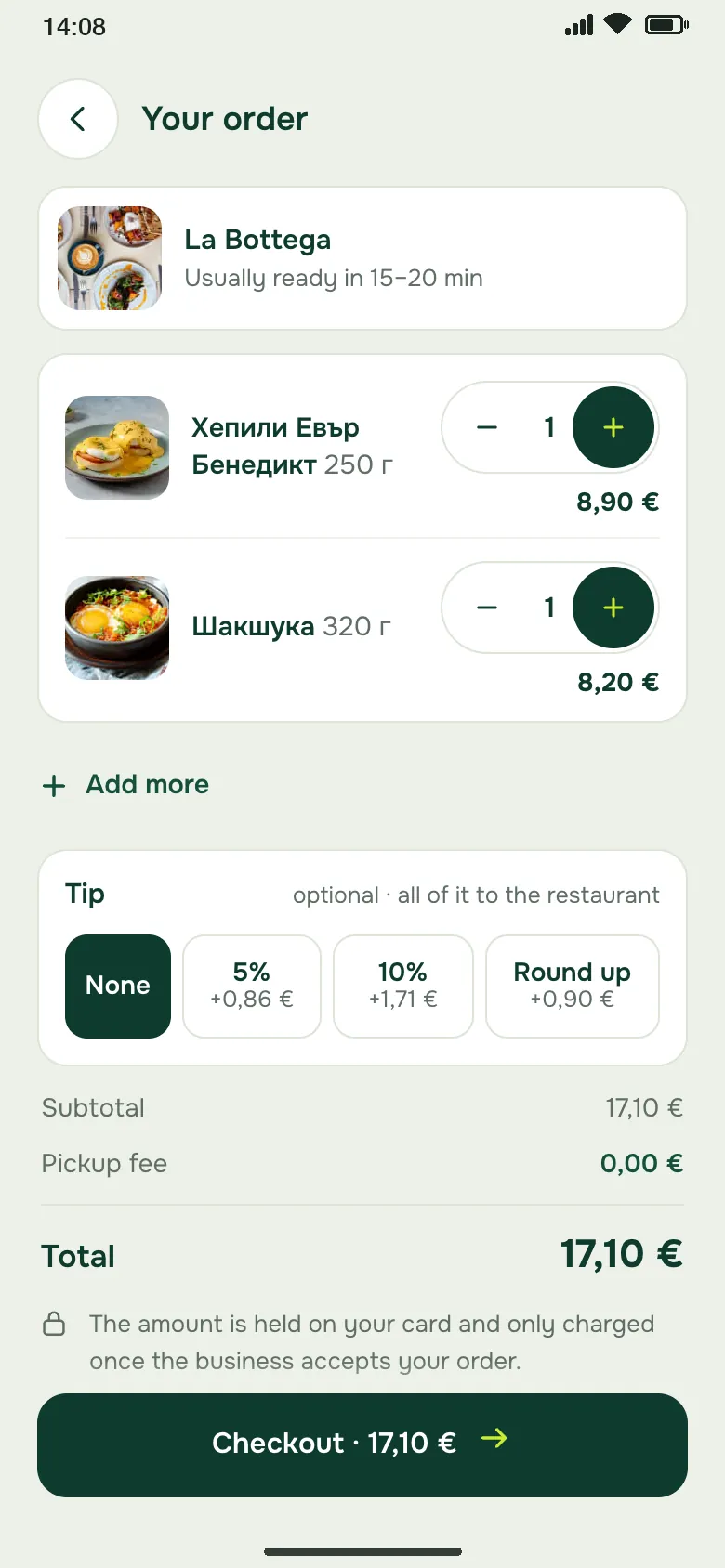
Pay
By card, Apple Pay or Google Pay. The amount is held, and charged only when the kitchen accepts.
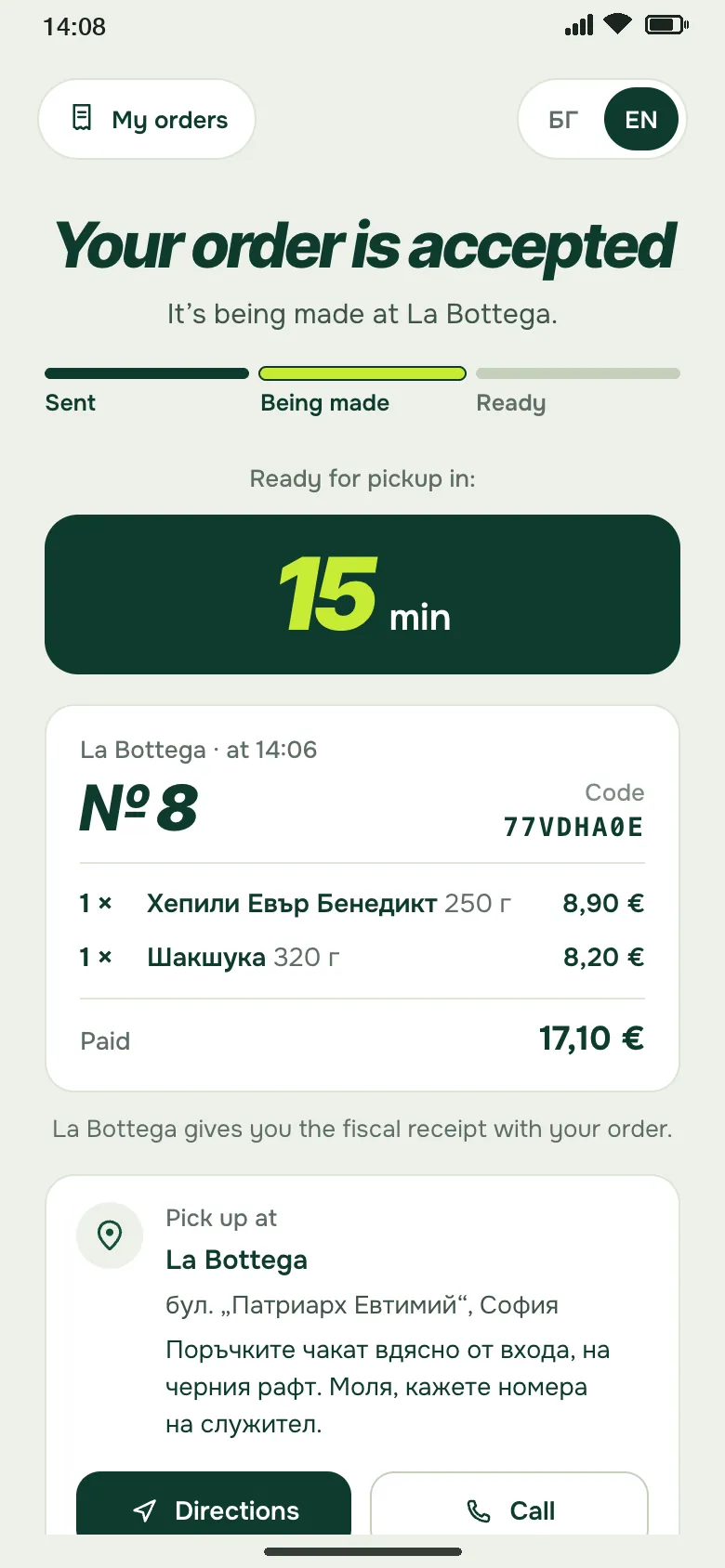
Collect
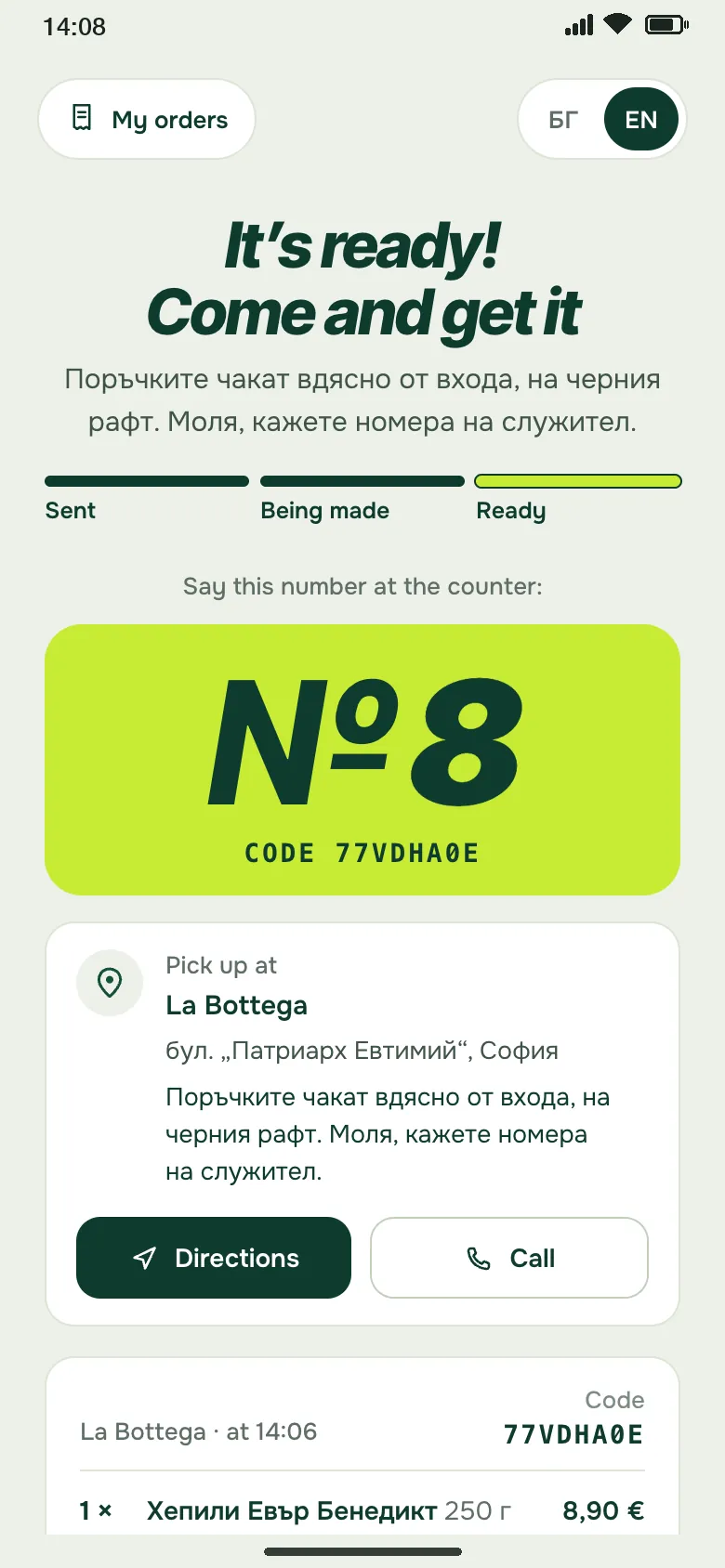
You see when it will be ready, and with notifications on, your phone tells you. Say your order number at the counter and it’s yours.
The screens on this page show a demo restaurant on byrzo.
See it in action
The menu, the payment and “It’s ready!” — on your phone.
This is byrzo for the customer: a menu with photos and portion sizes, payment by card, and a number for the counter when the order is ready.
Want your place on byrzo? Write to us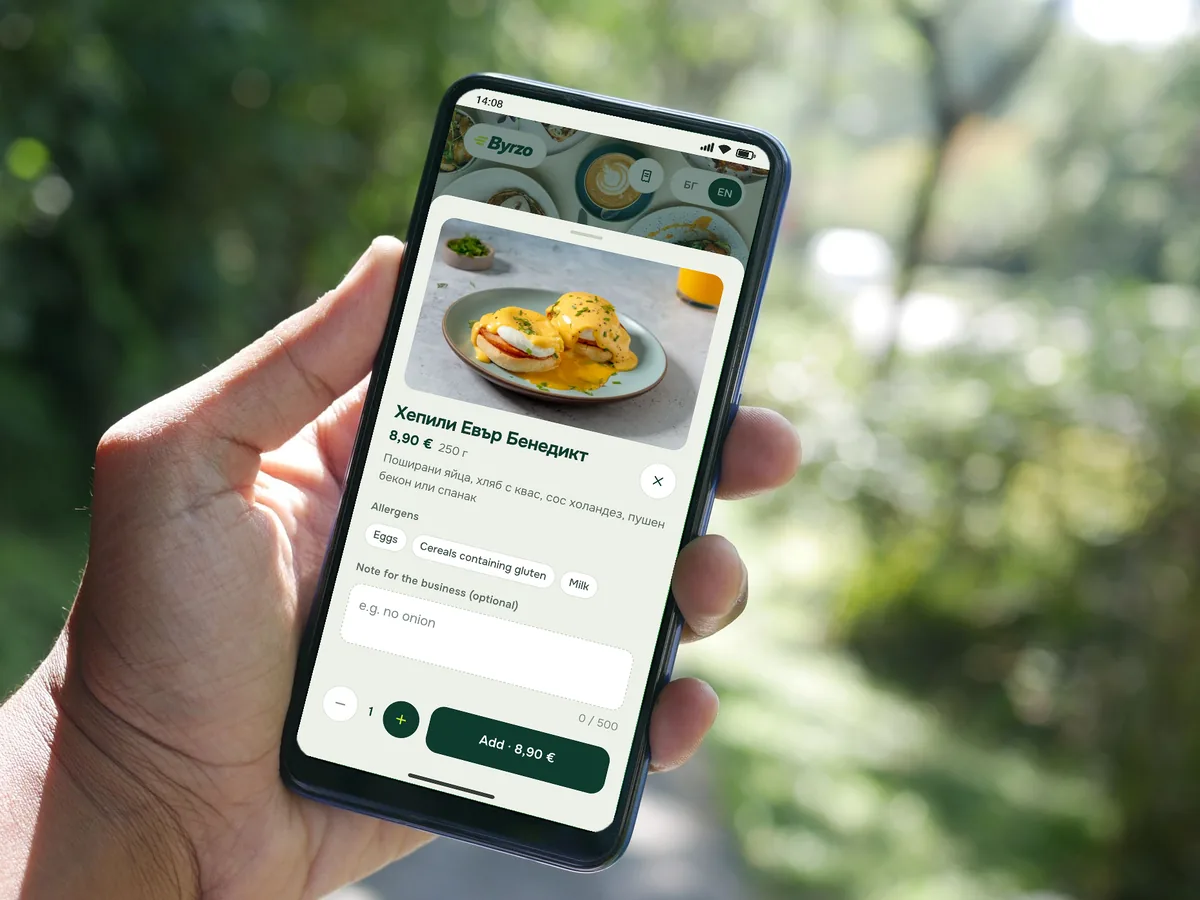
For restaurants
Orders paid for before you start cooking.
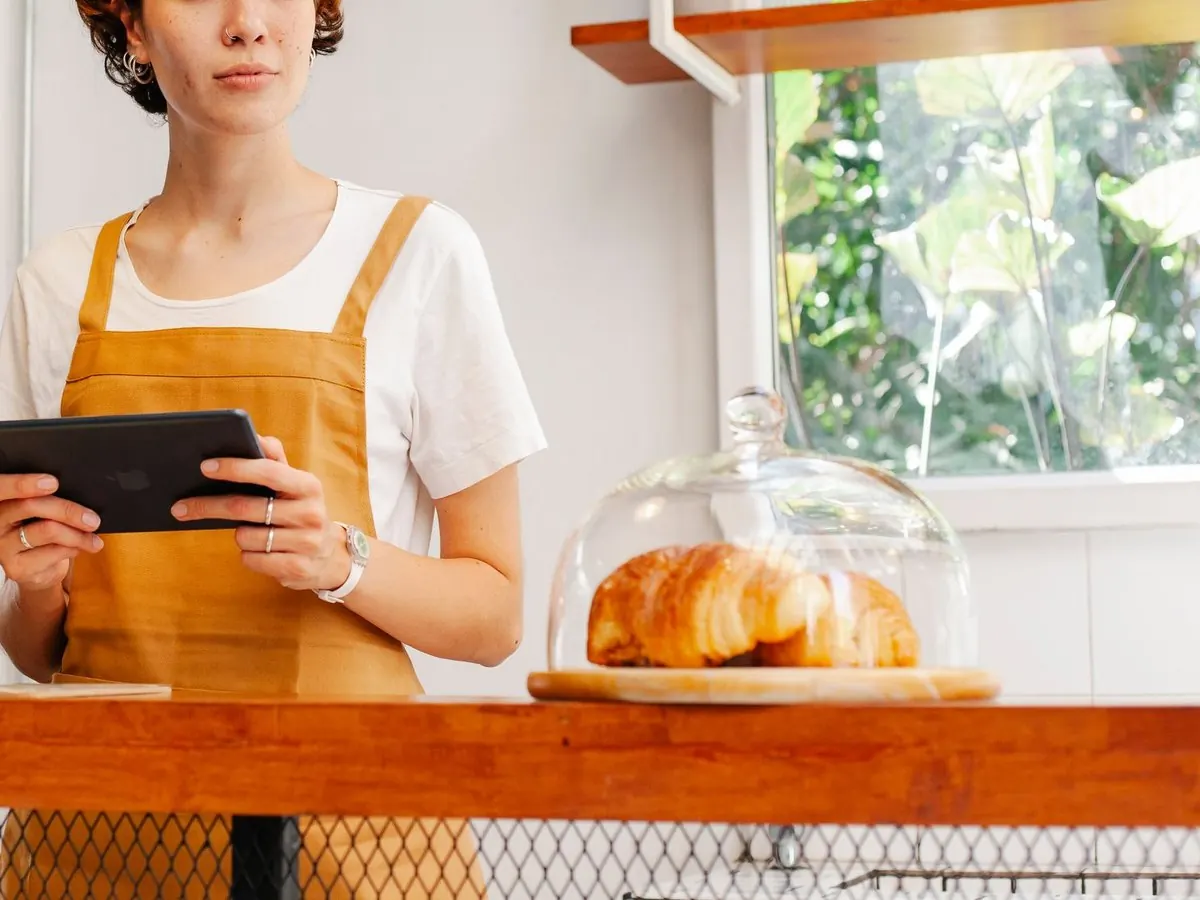
Customers order and pay on their phone. You accept on your own tablet or phone, cook and hand over the bag. No couriers, no delivery.
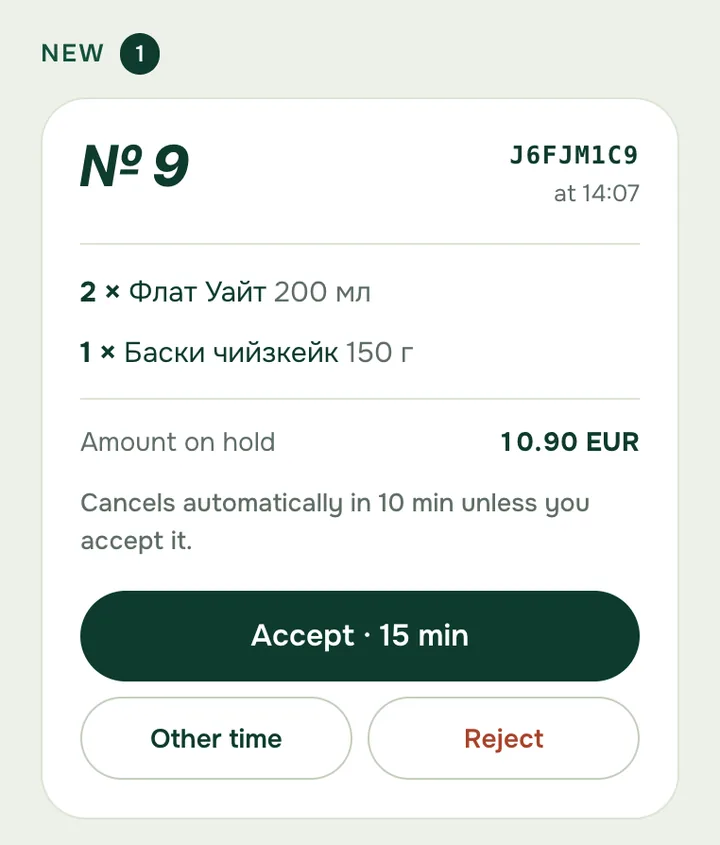
The money is held before you see the order
It’s held on the customer’s card and charged when you accept.
Money goes straight to your bank account
You are the seller. Payouts can arrive every business day.
You hear every new order
A chime for every new order, and a warning if the sound or the connection drops.
The rush, under control
“Busy” adds time, “Stop orders” pauses them for 15, 30 or 60 minutes, and a sold-out dish goes with one tap.
Orders for later
Customers pick a time in 15-minute steps, and you decide how many orders you take for each.
A menu on a link and a QR code
Photos, extras, allergens and portion sizes, and the QR code is ready to print.
Price
€0.25per paid order
- No monthly fee, no sign-up fee, no minimum turnover.
- No fee on an order you decline or that isn’t accepted in time.
- The payment provider’s card fee is separate.
Example: 300 paid orders in a month = €75 to byrzo. A month with none = €0.
Three steps to your first order
Write to us — we set up your account.
Set up payouts to your bank account and add your menu.
Put the QR code on the counter, in the window and on social media.
FAQ
Questions, answered
Do I need an account or an app?
No. The menu opens in your browser from a link or a QR code. You only leave an email to get the confirmation.
How do I pay?
By card, Apple Pay or Google Pay. byrzo never sees your card details. Meal-voucher cards (Pluxee, Edenred) aren’t accepted yet.
Is my card charged straight away?
No. The amount is held and charged only when the restaurant accepts the order.
What if the restaurant doesn’t accept?
If it declines or doesn’t answer within 10 minutes, the order is cancelled and the hold is released. Your bank may still show the hold for a few days.
And if they cancel an order they accepted?
The full amount goes back to your card.
What does byrzo cost a restaurant?
€0.25 per paid order, no monthly fee. The payment provider’s card fee is separate, and we announce any change to byrzo’s fee at least 30 days ahead.
Is a restaurant tied to a fixed-term contract?
No. A restaurant can stop using byrzo at any time by writing to us.
Who issues the fiscal receipt?
The restaurant issues it from its own till, as for any sale, and gives it to you with your order. byrzo’s Orders page shows the restaurant what to ring up.
A good lunch, without the queue.
Order while you’re still at your desk, and walk over when it’s ready.